RestoZign Free Services Hub
Choose One Free Service. Get Something Useful for Your Business.
Browse practical starter services for websites, marketing, AI, automation, social media, affiliates, local businesses and more. Pick ONE. Tell us where to send it. No card or purchase required.
Watch: how it works (47 seconds)
Choose your free service
Pick exactly one card below — every service here is free.
Tell us where to send it
One short popup form: your first name and email address.
We build it and email your preview link
Delivery targets 5 business days when capacity allows.
Browse or search below, tap ‘Get This Free Service’ on the one you want, and tell us where to send it — that’s it.
No free service matches that search — yet.
Describe the service you need instead: if it is a reasonable starter task for your business, we will build it as your one free service.

Websites & design

Homepage mockup
See a concrete first direction for your homepage before you spend anything on a redesign.
What you get: One homepage mockup concept for your business, delivered as an annotated image with short notes on layout, headline placement, and the main call to action.

Website mini audit
Get a fresh, honest look at what your current homepage is helping — and what may be holding visitors back.
What you get: A one-page mini audit of your homepage covering first impression, headline clarity, mobile layout, load basics, and contact visibility, with the top 5 fixes in priority order.
Mobile UX checklist
Most visitors meet your business on a phone; this shows you exactly what to check on yours.
What you get: A personalized mobile UX checklist for your site: tap-target, readability, sticky contact, and form checks marked pass / needs work, with a note on the 3 most urgent items.

Landing page headline
A clearer headline helps visitors understand your offer in the first few seconds.
What you get: Three headline + subheadline options for one landing page, written around your offer and audience, with a short note on why the recommended one leads.

Contact page copy
A friendlier contact page makes it easier for ready-to-talk visitors to actually reach out.
What you get: Ready-to-paste copy for one contact page: a short intro, what to expect after you write, contact options block, and one trust line — about 150 words.

Restaurant menu layout
A menu layout that scans well helps guests find what they want faster, on paper or on screen.
What you get: A layout plan for one menu: section order, item grouping, and description style notes, delivered as a structured outline you can hand to your designer or printer.

Booking page review
Small friction on a booking page quietly costs reservations; this review points at the likely friction spots.
What you get: A written review of your booking page or booking flow: each step checked for clarity and friction, with specific fix suggestions listed in the order a guest meets them.

Accessibility checklist
Accessible pages are usable by more customers and are simply better built; start with the basics.
What you get: A starter accessibility checklist tailored to your site type: contrast, alt text, heading order, keyboard, and form-label checks, each with a plain-English 'how to fix' note.

Site navigation outline
Clear navigation helps visitors — and search engines — understand what your business offers.
What you get: A proposed navigation outline for your site: main menu items, footer links, and which pages sit under each, with one line of reasoning per grouping.

One-page wireframe
A wireframe turns a vague page idea into a structure you can react to and build from.
What you get: One single-page wireframe (layout sketch) for a page of your choice: sections in order, what goes in each, and where the call to action sits — delivered as an annotated diagram plus notes.

SEO & AI search

Keyword ideas
Start from the words your customers actually type instead of guessing what to write about.
What you get: A list of 15 keyword ideas for your business with the search intent behind each (informational, local, or ready-to-buy) and a note on which 3 to use first.

Meta title and description
Your title and description are the ad Google shows for free — make them worth the click.
What you get: One rewritten meta title (under 60 characters) and meta description (under 155 characters) for your homepage or one chosen page, using your main keyword naturally.

Local SEO checklist
Local search is where nearby customers find you; this checklist shows the foundational pieces in order.
What you get: A local SEO starter checklist for your business: Google Business Profile, citations, reviews, and on-page basics, each marked with what to do and roughly how long it takes.

Google Business Profile review
Your Google profile is often the first impression — this review flags what a searcher sees today.
What you get: A written review of your Google Business Profile: category choice, photos, hours, services, and description checked, with specific improvement notes in priority order.

AI visibility FAQ ideas
AI assistants answer questions with sourced content; clear FAQ content gives them something accurate to quote.
What you get: Five FAQ question ideas your customers actually ask, each with a 2–3 sentence draft answer written so AI search tools and visitors can both use it.

Schema recommendation
The right structured data helps search engines understand your business details correctly.
What you get: A schema recommendation note: which schema types fit your business (e.g. LocalBusiness, FAQPage), the key fields to include, and a sample JSON-LD skeleton for one page.

Internal link suggestions
Good internal links guide visitors to your money pages and help search engines map your site.
What you get: Five specific internal-link suggestions for your site: source page, target page, and the anchor text to use, based on your current page structure.

Competitor search outline
Seeing what nearby competitors show up for tells you where the open ground is.
What you get: A one-page outline of up to 3 local competitors' search presence: what they appear to target, their visible strengths, and 3 content gaps you could fill.

Search intent map
Matching each page to one clear intent stops pages from competing with each other.
What you get: A simple intent map for up to 6 of your pages: the query each page should own, the visitor's stage, and any overlaps to fix.

SEO content brief
A brief turns a keyword into a page a writer can actually produce without guesswork.
What you get: One content brief: target keyword, search intent, proposed headline, section outline, word-count range, internal links to include, and the call to action.

GBP Suspension Reinstatement Checklist
A suspended Google profile means nearby customers cannot find you at all — this pack shows you what to fix and file to ask for it back.
What you get: A step-by-step reinstatement pack for your suspended listing: the most likely suspension triggers checked against your profile (business name, address, category, and photos), the evidence pack Google asks for (business registration, a recent utility bill, storefront or lease proof, and a matching web presence), an appeal letter draft written for your business, what to fix before you appeal, a realistic timeline, and what not to do — no duplicate listings and no re-verifying under a different name.

AI Search Visibility Check
Customers now ask ChatGPT who to call before they ever search Google — this check shows whether AI assistants can actually see your business and your reviews, or whether you are invisible to them.
What you get: A one-page AI search visibility gap report for your business. We run the standard questions people now ask AI assistants — “best” followed by your trade and your city — through ChatGPT and the other major AI assistants we can reach, and record whether your business is recommended, which competitors appear instead, and which sources the assistants cite. We then check the machinery behind the answer: your Bing Places listing (claimed and complete, or not), whether the reviews on your own website are readable text or trapped inside a JavaScript widget that crawlers cannot quote, whether your site's robots file or firewall is blocking AI crawlers such as OAI-SearchBot and ChatGPT-User, and which important directories and local “best of” lists you are missing. The report ends with the three fixes most likely to restore your visibility, in the order to tackle them. This is a diagnostic and a report only — AI answers rotate from day to day, and no one can guarantee a recommendation.
Reviews Paused / Removed-Review Recovery Check
Google is pausing reviews on profiles without naming which one — this check identifies the paused profile, protects the evidence for any legitimate reviews that were removed, and tells you the one correct request to file and what to stop doing until reviews flow again.
What you get: A one-page recovery plan for one Google Business Profile hit by a 'reviews temporarily paused' protection or by removed legitimate reviews. We show you how to identify the affected profile inside your own account (the Reviews-tab warning plus the date new reviews stopped arriving — the pause email itself names no profile), the evidence pack to save that day (the pause email, the Reviews-tab warning, and your rating and review count), the correct protections-review request route and how to file it once per affected profile naming the profile and the removed reviews you can evidence, what to pause while the protection is live (automated review requests to that location), and what not to touch (no replacement profile, no repeated requests while one is open, no big unrelated edits). The plan ends with the resume-safely steps for confirming reviews are flowing again before restarting review requests. This is guidance and a plan only — a pause is Google's temporary protection, only Google can lift it or restore reviews, and no outcome is guaranteed.

Social & creator

Social caption
A ready caption saves the blank-box moment and keeps your posting consistent.
What you get: One ready-to-post caption for the platform of your choice, written for your offer, with a clear call to action and up to 5 relevant hashtags.

Seven-day posting plan
A week of planned posts beats a week of 'what do I post today?'
What you get: A 7-day posting plan: one post idea per day with the format (photo, reel, story, text), a one-line hook for each, and the best-fit platform.

Short video script
A tight script makes a 30-second video far easier to record in one take.
What you get: One short-form video script (about 30–45 seconds spoken): hook line, 3 content beats, on-screen text suggestions, and a closing call to action.

Instagram bio rewrite
Your bio has about three seconds to say who you help and what to do next.
What you get: Two Instagram bio options (within the 150-character limit): what you do, who for, and one clear next step, plus a suggestion for your link text.

Facebook description
A complete Page description helps visitors and search results describe your business accurately.
What you get: One Facebook Page 'About' description of about 100 words: services, area served, and how to get in touch, written in your brand voice.

LinkedIn headline
Your LinkedIn headline appears in every search and comment — make it say more than your job title.
What you get: Three LinkedIn headline options (220 characters max) built around who you help and the outcome you work toward, with a note on the strongest one.

Pinterest pin text
Pins are search results; the right title and description help the right people find yours.
What you get: Text for one Pinterest pin: a keyword-aware title (100 characters max), a description of about 2 sentences, and board name suggestions.

Hashtag starter list
A small, relevant hashtag set beats a wall of generic tags.
What you get: A starter set of 15 hashtags for your niche and location, grouped into broad / niche / local so you can rotate them across posts.

Social audit
An outside look at one profile shows what's working and what's quietly hurting you.
What you get: A mini audit of one social profile: bio, last-9-posts pattern, branding consistency, and call-to-action use, with the top 5 fixes in order.

Community post
A good community post starts conversations instead of broadcasting at people.
What you get: One ready-to-post community/group post written to invite replies: a relatable opener, your useful point, and one easy question at the end.

Email & leads

Welcome email
The welcome email is the most-opened email you'll ever send; make it count.
What you get: One complete welcome email for new subscribers: subject line, a short intro of your business, what to expect from your emails, and one clear next step.

Lead magnet idea
The right free offer gives visitors a real reason to join your list.
What you get: Three lead magnet ideas matched to your audience, with a recommendation for the strongest one, a working title, and a one-line outline of its contents.

Opt-in headline
A specific opt-in headline converts better than 'join our newsletter' — here are options written for your offer.
What you get: Five opt-in headline + subheadline pairs for your signup form, each tied to a concrete benefit of joining, with the recommended pair marked.

Follow-up email
Most sales conversations die from no follow-up, not from rejection.
What you get: One follow-up email template for after a quote, call, or meeting: subject line, a courteous check-in body, and a low-pressure call to action you can reuse.

Three-email sequence outline
A short sequence keeps new leads warm while you're busy running the business.
What you get: An outline of a 3-email welcome sequence: each email's goal, subject-line direction, key points, send timing, and call to action.

Newsletter intro
A warm intro sets the tone for every newsletter that follows it.
What you get: One newsletter intro paragraph (about 80–100 words) in your voice, plus 3 subject-line options for that first issue.

Lead qualification questions
Five good questions up front save hours of calls with poor-fit enquiries.
What you get: A set of 5–7 lead qualification questions for your contact or booking form, each with a note on what the answer tells you.

Appointment reminder
A clear reminder message reduces no-shows and last-minute confusion.
What you get: One appointment reminder message written for email or SMS: confirmation details placeholders, what to bring/prepare, and reschedule wording.

Review request email
Happy customers often just need a polite, well-timed ask to leave a review.
What you get: One review-request email: subject line, a short thank-you body, and space for your review link, written to sound personal rather than automated.

Email subject lines
Fresh subject lines are the fastest lever you control for getting emails opened.
What you get: Ten subject-line options for one campaign or announcement, grouped by angle (question, benefit, curiosity, direct), each under 50 characters where possible.

AI & automation

Custom AI prompt
A well-built prompt turns a generic AI answer into something you can actually use.
What you get: One custom AI prompt written for a task you name (email, post, summary, reply), with fill-in placeholders and a short usage note for ChatGPT, Claude, or Gemini.

Automation workflow map
Seeing the steps drawn out shows exactly where automation can take work off your plate.
What you get: A workflow map for one business process: trigger, steps, tools involved, and the 2–3 steps best suited to automation, delivered as a diagram description plus notes.

Chatbot FAQ outline
A support bot is only as good as its answers; this outline defines what yours must handle.
What you get: A chatbot FAQ outline: the 10 questions your bot should answer first, the answer source for each, and what should escalate to a human.

n8n workflow specification
A precise spec lets you — or a builder — construct the workflow without guesswork.
What you get: A written n8n workflow specification for one automation: trigger, node-by-node steps, data fields passed, error handling, and the credentials each node needs.

AI content checklist
A quick QA checklist keeps AI-assisted content accurate and on-brand before it ships.
What you get: An AI content QA checklist for your team: accuracy checks, brand-voice checks, disclosure notes, and a final human-review step, tailored to your content type.

Prompt audit
If your prompts give inconsistent results, small structural fixes usually make a big difference.
What you get: An audit of one prompt you already use: what is ambiguous or missing, and a rewritten version with clearer instructions, context, and output format.

AI use case recommendation
Skip the hype: this points at the one AI use case most likely to save you time first.
What you get: A short recommendation memo: the top AI use case for your business, why it ranks first, the type of tool involved, and the first step to try it.

Data entry automation idea
Copy-paste work between apps is usually the easiest automation win in a small business.
What you get: One data-entry automation idea for your process: the source, the destination, the fields to move, and two ways to implement it (no-code and scripted).

AI assistant scope
A scoped assistant — what it answers, what it never touches — is the difference between helpful and risky.
What you get: A scope document for one AI assistant: purpose, questions it may answer, knowledge sources, tone rules, and clear escalation boundaries.

Workflow bottleneck review
One bottleneck usually slows the whole process; this review names it and the cheapest fix.
What you get: A bottleneck review of one workflow you describe: where work waits, why, the impact, and the 2–3 most practical fixes in cost order.

Branding & creative

Color palette
A small, consistent palette makes everything you publish look like it came from one business.
What you get: One color palette for your brand: 5 swatches with hex codes, where each color is used (backgrounds, text, accents), and one pairing example.

Font pairing
The right two fonts give your site and posts a deliberate, professional feel.
What you get: One font pairing recommendation: a headline font and a body font (free Google Fonts options), with sizes and usage notes for web and print.

Moodboard direction
A moodboard direction aligns every future design decision before you pay for design work.
What you get: A moodboard direction brief: 6–8 reference themes described in words, a texture/imagery style note, and what to avoid — ready to hand to any designer.

Logo concept brief
Designers produce better first drafts from a clear brief than from 'make it pop.'
What you get: A logo concept brief: your story in one line, 2 concept directions, lettering/style notes, color direction, and what the logo must never look like.

Banner concept
A banner with one message and one action outperforms a banner that tries to say everything.
What you get: One banner concept for your site or a profile: headline, supporting line, call-to-action text, and a layout description your designer can follow.

Business card copy
A card that says what you do — not just who you are — keeps working after the handshake.
What you get: Complete copy for one business card: front (name, title, contact) and back (one-line offer + call to action), ready to send to a printer.

Brand voice guide
A one-page voice guide keeps emails, posts, and pages sounding like the same business.
What you get: A mini brand-voice guide: 3 voice traits, words to use, words to avoid, and 3 example sentences rewritten in your voice.

Offer name ideas
A clear, memorable offer name makes your service easier to ask for and refer.
What you get: Ten name ideas for one offer or package, grouped by style (clear, benefit-led, branded), with the top 3 marked and a one-line reason each.

Social cover layout
Your cover image is billboard space you already own — use it for one clear message.
What you get: A layout plan for one social cover (Facebook, LinkedIn, or YouTube): text placement, safe zones, headline, and call to action, sized notes included.

Creative brief
A written brief is how you get the design you pictured instead of the design you got.
What you get: A one-page creative brief for one project: goal, audience, message, deliverables, style references, and deadline notes — ready to hand to a designer.

Promotion & ads

Promotion channel ideas
You probably don't need more channels — you need the right two for your offer and audience.
What you get: Five promotion channel ideas matched to your offer and budget level, each with why it fits and the first small step to test it.

Ad copy draft
One clear ad with one promise and one action is the unit everything else is tested against.
What you get: One ad copy draft for the platform you name: primary text, headline, and call-to-action button text. Note: copy only — no ad spend or account setup included.

Campaign angle
The angle — the reason this matters now — is what separates noticed ads from scrolled-past ones.
What you get: Three campaign angle options for one offer, each with a hook line and the audience it speaks to, plus a recommendation for which to test first.

Offer audit
Sometimes the ad is fine and the offer page is the problem; this audit checks the offer itself.
What you get: A written audit of one offer: clarity, price framing, guarantee/risk handling, and call to action, with the top 5 improvements in order.

Referral idea
Your happiest customers are a channel — they just need an easy way to send people to you.
What you get: One referral program idea tailored to your business: the ask, the reward structure (if any), and the exact message customers can forward.

Partner outreach
A short, specific outreach message gets replies; a vague one gets deleted.
What you get: One partner outreach message (email or DM version) for a business you'd like to collaborate with: intro, mutual benefit, and one simple next step.

Event promotion
Events fail quietly when promotion starts too late or says too little — plan the run-up.
What you get: A mini promotion plan for one event: announcement timing, 3 post ideas, one reminder message, and the day-of post copy.

Competitor offer review
Knowing how a competitor packages and prices helps you position yours without copying theirs.
What you get: A review of one competitor's public offer: what they include, how they frame it, price presentation, and 3 ways your offer can stand apart.

Promotion calendar
A month of promotions planned in advance beats last-minute scrambling every time.
What you get: A 4-week promotion calendar: one promotion focus per week, the channel, the asset needed, and the prep date for each.

Free directory shortlist
Free listings put your business in front of people already looking — if you pick the right directories.
What you get: A shortlist of 8–10 free directories relevant to your business type and area, with the listing details each one asks for.

Affiliate & internet marketing

Affiliate niche ideas
A niche you understand and can write about beats a 'hot' niche you'll abandon in a month.
What you get: Five affiliate niche ideas matched to your interests and experience, each with the audience, example products, and one caution to check first.

Bridge page outline
A bridge page warms visitors up before the vendor page — and keeps platforms that dislike direct affiliate links happy.
What you get: An outline for one bridge page: headline, short intro copy structure, media slot, countdown/continue element, and the compliance notes to include.

Disclosure template
Clear affiliate disclosures protect you and build reader trust at the same time.
What you get: A plain-language affiliate disclosure template for a website or article, with short and long versions and placement guidance. (Template only — not legal advice.)

Review article outline
A structured review outline keeps your article honest, complete, and easy to write.
What you get: An outline for one product review article: sections, what to test or verify in each, pros/cons framework, and where your disclosure and call to action go.

Comparison page structure
Comparison pages convert well when they help readers decide instead of pushing one winner.
What you get: A structure for one comparison page: comparison-table fields, per-product sections, verdict framework, and FAQ slots.

Affiliate email draft
An affiliate email that teaches first and recommends second earns clicks without burning your list.
What you get: One affiliate email draft: subject line, a useful-content opening, a natural product mention, disclosure line, and call to action.

Bonus concept
A relevant bonus gives readers a reason to buy through your link instead of going direct.
What you get: Three bonus concepts for one affiliate offer, matched to what the product lacks, with a delivery note for each.

Tracking checklist
If you can't tell which link earned the click, you can't improve what works.
What you get: A tracking checklist for your affiliate links: naming convention, where to record clicks vs sales, and the weekly 10-minute review routine.

Affiliate funnel map
Seeing the whole path — content to click to sale — shows where your funnel leaks.
What you get: A funnel map for one affiliate offer: traffic source, bridge/content step, vendor page, and follow-up, with the weakest link flagged.

Affiliate compliance checklist
FTC disclosure and network rules are not optional; this checklist covers the everyday basics.
What you get: A compliance starter checklist: disclosure placement, claim language to avoid, review honesty points, and network-rule reminders. (General information — not legal advice.)

Ecommerce & sales

Product description
A description that answers the buyer's real questions does the selling while you're asleep.
What you get: One product description (about 120–180 words): benefit-led opening, key features as bullets, and one reassurance line about shipping or returns.

Store UX mini audit
Fresh eyes on your storefront find the friction you've stopped noticing.
What you get: A mini audit of your store's homepage and one product page: navigation, search, product presentation, and trust elements, with the top 5 fixes in order.

Abandoned cart email
One polite reminder recovers a share of carts that were interrupted, not rejected.
What you get: One abandoned-cart email: subject line, a friendly reminder body with a product slot, and a help line for shoppers who had a question or a problem.

Upsell concept
A relevant add-on offer raises order value without pressuring your customers.
What you get: One upsell concept for your store: the pairing logic, where it appears (product page, cart, or post-purchase), and the exact wording of the offer.

Bundle idea
Bundles simplify the buying decision and lift the average order in one move.
What you get: One bundle idea from your existing products: what's included, the bundle name, how to frame the saving honestly, and the product-page copy block.

Checkout checklist
Checkout is where money is won or lost; run through the known friction points systematically.
What you get: A checkout checklist for your platform: guest checkout, cost transparency, payment options, and mobile checks, each marked with what 'good' looks like.

Customer FAQ
Answering the same five questions on the product page stops them becoming support tickets.
What you get: Five customer FAQ questions and answers for one product or store: sizing/shipping/returns topics as relevant, written in your voice.

Marketplace headline
On marketplaces your headline is your search result — keywords and clarity both matter.
What you get: Three headline options for one marketplace listing (Etsy, eBay, or Amazon-style), each within the platform's character limit, with the keyword logic noted.

Review request
A short, well-timed post-purchase ask is how stores build the review counts buyers trust.
What you get: One post-purchase review request message (email or card insert version): thank-you line, the ask, and the link slot — brief and pressure-free.
Store navigation feedback
If shoppers can't find a product in two clicks, it effectively isn't in your store.
What you get: Written navigation feedback for your store: category structure, menu labels, and search setup reviewed, with a proposed cleaner structure.

Restaurants & hospitality

Restaurant site review
Guests decide in seconds; this review checks your site the way a hungry visitor does.
What you get: A written review of your restaurant website: menu findability, hours/location visibility, ordering and reservation paths, and mobile layout, with the top 5 fixes in order.

Menu item rewrite
A tempting two-line description sells the dish before the server ever arrives.
What you get: Rewrites of up to 5 menu item descriptions: name polish plus a one-to-two-line description each, in your restaurant's voice.

Reservation funnel review
Every extra step between 'book a table' and confirmation loses guests.
What you get: A review of your reservation path from website to confirmed booking: steps counted, friction points named, and specific simplifications suggested.

Restaurant local keywords
Rank for what nearby diners actually search — cuisine plus neighborhood, not just your name.
What you get: A list of 12 local keyword ideas for your restaurant (cuisine + area combinations) with the page or profile each one belongs on.

Restaurant social caption
A caption written for one dish or event, ready to pair with your photo.
What you get: One ready-to-post caption for a dish, special, or event, with a guest-focused hook, one detail that makes it craveable, and up to 5 local hashtags.

Catering inquiry outline
A structured inquiry form gets you the details you need for a fast, accurate quote.
What you get: An outline for a catering inquiry form: the 8–10 fields to ask (date, party size, format, budget range, contact), in the order to ask them.

Specials promotion
A special only works if guests hear about it in time and the offer is crystal clear.
What you get: A mini promotion pack for one special: one social post, one in-house table-tent line, and the dates/terms wording — ready to adapt each week.

Review reply examples
Calm, specific replies to reviews are read by every future guest — make them work for you.
What you get: Three review-reply examples written for your restaurant: one for a 5-star review, one for a 3-star, one for a complaint — courteous and non-defensive.

Online order UX checklist
Ordering friction is invisible to you and obvious to a hungry guest on a phone.
What you get: A checklist review of your online ordering path: menu loading, modifiers, pickup/delivery clarity, and payment steps, with the top fixes flagged.

Restaurant FAQ
The questions your phone answers all day belong on your website.
What you get: Five FAQ questions and answers for your restaurant's site: parking, reservations, dietary options, large parties, and ordering — tailored to your answers.
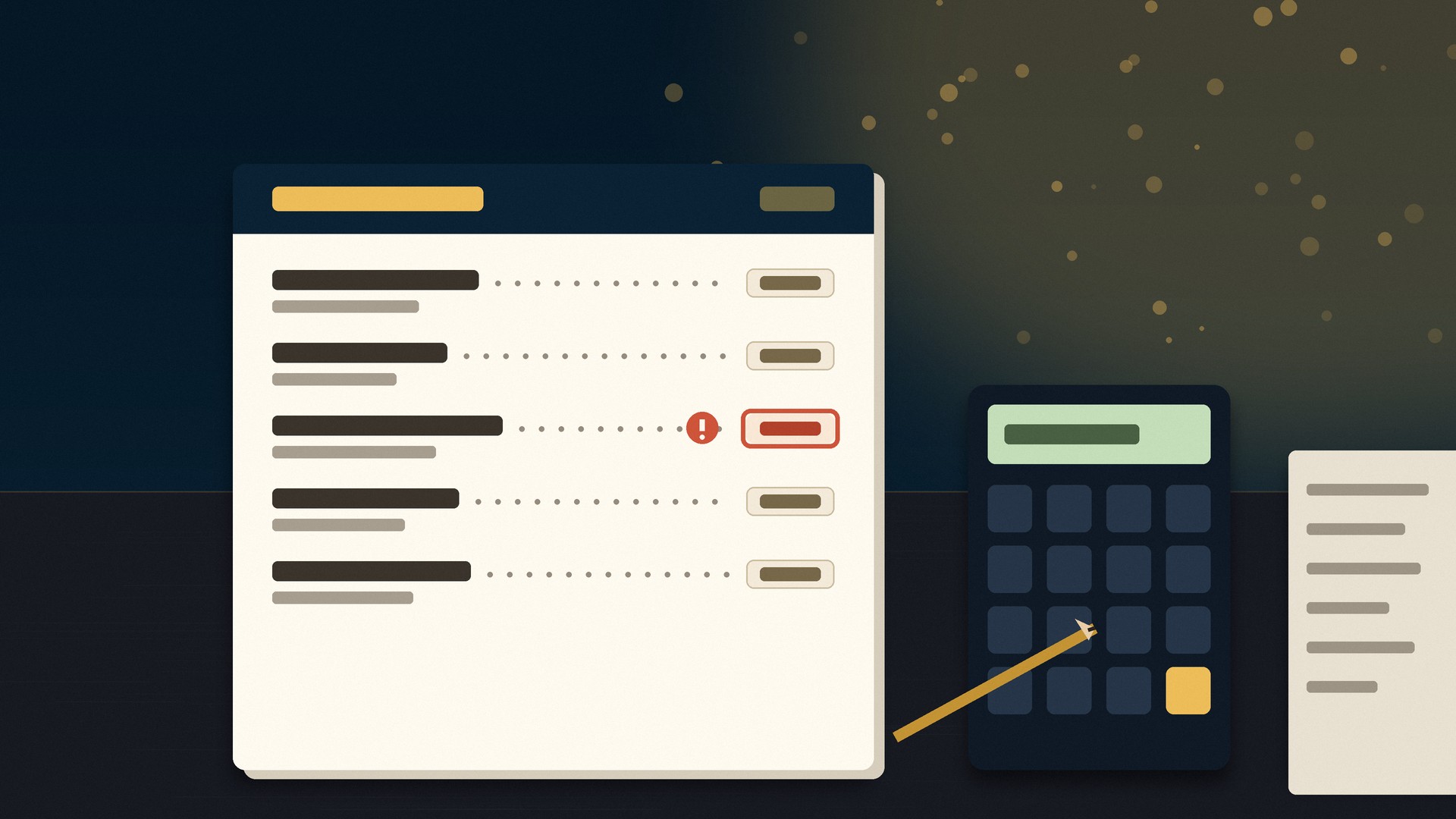
Menu Pricing Check
A dish priced by gut feel can lose money on every plate — this check shows which of your prices do not cover their costs, and what to change first.
What you get: A menu pricing report for up to 12 dishes: you send each dish's current price plus its ingredient cost, prep time, and portion and waste cost, and we return a suggested price range per dish, clear flags on the dishes whose price does not cover their costs, a price-ladder and anchoring review of how your cheapest and most expensive dishes frame the ones in between, psychological pricing notes on price endings and placement, and a short action list in the order to tackle it — all built from your numbers only, with no borrowed industry averages dressed up as your results.

Home & local services

Quote form outline
The right form fields mean your first call is a quote, not twenty questions.
What you get: An outline for a quote-request form: the fields to ask for your trade, in order, with which to make required and which to skip to keep it short.

Service area page brief
One honest page per area you serve beats one page claiming to serve everywhere.
What you get: A brief for one service-area page: headline, sections, the local details to include, and the call to action — ready to hand to a writer or builder.

Local page headline
A headline naming the service and the town tells visitors — and Google — they're in the right place.
What you get: Three headline + subheadline options for one local service page, each naming the service and area plainly.

Estimate follow-up
Jobs are often won by the company that follows up once more, politely.
What you get: One estimate follow-up message template (email or text version): a courteous check-in, a helpful detail, and an easy way to say yes or ask questions.

Review request SMS copy
A short text at the right moment is the easiest review request your customers will ever get.
What you get: Two SMS review-request messages under 160 characters each: one sent right after the job, one gentle nudge, with a slot for your review link.

Service package names
Named packages are easier to buy and easier to refer than 'call for pricing.'
What you get: Name and one-line description options for 3 service packages (good / better / best structure), matched to your trade and tone.

Before-after caption
Before-and-after photos sell the work; the caption explains what the photo can't.
What you get: One caption template for before/after posts: the problem, what was done, the result, and a call to action — with placeholders for your job details.

Lead response script
The first 60 seconds of a lead call decide who gets the job — have the words ready.
What you get: A short phone/message script for responding to new leads: greeting, 3 qualifying questions, and how to book the visit or estimate.

Local profile checklist
Consistent profiles across Google and directories are the foundation of local visibility.
What you get: A checklist for your local profiles: the exact details that must match everywhere (name, phone, hours, categories, photos) and where to check them.

Service page mini audit
A fresh read of one service page shows where enquiries leak away.
What you get: A mini audit of one service page: headline, trust signals, photos, and contact path checked, with the top 5 fixes in priority order.

Multi-Location Listing & Page Consistency Check
When your locations read like copies of each other, they compete instead of each winning its own area — this check shows you where that is happening.
What you get: A per-location audit report: every location's profile completeness and name, address, and phone consistency across Google and directories, which location pages are near-duplicate clones competing with each other, what to standardize (branding, categories, URL structure) versus what to localize (photos, staff, services, reviews) at each location, and a prioritized fix list per location.

B2B & professional

Consultation page outline
A consultation page that sets expectations books better-fit calls.
What you get: An outline for a consultation booking page: who it's for, what happens on the call, what it is not, and the form fields to collect.

Discovery questionnaire
Questions asked before the call make the call itself shorter and sharper.
What you get: A discovery questionnaire of 8–10 questions for your prospects, each tagged with what the answer helps you decide.

Proposal introduction
The first paragraph of your proposal frames everything that follows it.
What you get: One proposal introduction (about 120 words) written around your client's problem and your approach, with placeholders for names and scope.

LinkedIn services description
Your LinkedIn services section should read like a client wrote the brief.
What you get: One LinkedIn services description (about 100 words): who you help, the services, and how to start a conversation.

Client onboarding checklist
A checklist onboarding makes new clients feel looked after from day one.
What you get: A client onboarding checklist for your service: documents to collect, access to request, kickoff steps, and the first-week communication cadence.

Case study outline
You likely have case studies already — they're just still inside finished projects.
What you get: A case-study outline for one client project: the problem, your approach, the deliverables, and the result slots to fill with the client's permission.

Capability statement outline
A one-page capability statement answers 'can they do this?' before the first meeting.
What you get: An outline for a one-page capability statement: company snapshot, core services, differentiators, past-work slots, and contact block.

Referral email
Asking a happy client for referrals is easier with the exact words written for you.
What you get: One referral-request email: subject line, a genuine thank-you, the ask, and a forwardable one-paragraph description of who you help.

Appointment funnel review
If booking a first call takes more than a minute, prospects quietly drop out.
What you get: A review of your appointment path from page to confirmed call: steps, form length, confirmation messaging, and specific simplifications.

B2B outreach email
A short, specific cold email respects the reader and earns more replies than a pitch deck in disguise.
What you get: One B2B outreach email (under 100 words): a relevant opener slot, your one-line value, one proof point slot, and a low-commitment call to action.

Education & nonprofit

Donation page review
Donors abandon confusing pages silently; a review finds the hesitation points.
What you get: A written review of your donation page: ask clarity, suggested amounts, recurring option visibility, and trust elements, with the top 5 fixes in order.

Volunteer form outline
A short, welcoming form gets more completed volunteer signups than a long interrogation.
What you get: An outline for a volunteer signup form: the essential fields, availability/interest questions, and the confirmation message wording.

Event page copy
An event page that answers who, what, when, and why in the first screen fills seats better.
What you get: Copy for one event page (about 150 words): headline, the essential details block, who it's for, and a clear registration call to action.

Course outline
A clear module outline turns a topic you know into a course people can follow.
What you get: A course outline for one topic: 5–7 modules with lesson titles and a one-line goal for each.

Worksheet concept
A useful worksheet turns passive viewers or students into participants.
What you get: A worksheet concept for one lesson or topic: purpose, the sections, 3 exercise prompts, and a simple layout note.

Newsletter intro
Supporters read newsletters that sound like a person, not a press office.
What you get: One newsletter intro paragraph (about 80 words) for your organization, plus 3 subject-line options for the issue.

Fundraising email
One specific story and one specific ask outperform a general appeal.
What you get: One fundraising email: subject line, a story-led opening slot, the specific need, suggested giving levels wording, and a thank-you line.

Program FAQ
The questions families and supporters email you belong on the page they found first.
What you get: Five FAQ questions and answers for one program: eligibility, schedule, cost (if any), how to join, and who to contact.

Community promotion
Local groups and noticeboards still move people — if the post is helpful, not spammy.
What you get: One community promotion post for a program or event: a helpful opener, the key details, and one clear invitation, written for a local group or forum.

Learning resource outline
An outline turns your expertise into a resource other educators will actually share.
What you get: An outline for one free learning resource (guide, checklist, or lesson pack): sections, what each covers, and a simple activity for the end.

Software & online tools

Free tool shortlist
The right free tool today beats the perfect paid platform you never set up.
What you get: A shortlist of 3–5 free or free-tier tools for one job you name, each with what it does well, its free-tier limits, and our pick for most small teams.

Software requirements brief
A one-page brief stops scope creep before your first conversation with a developer.
What you get: A requirements brief for one software idea: the problem, users, must-have features (max 7), nice-to-haves, and explicit out-of-scope items.

No-code prototype sketch
A sketch of screens and flows shows whether the idea works before anyone builds it.
What you get: A prototype sketch for one app idea: the 3–5 core screens described, the user flow between them, and which no-code tools could approximate it.

SaaS welcome email
A product welcome email that points at the first useful action keeps new users from drifting away.
What you get: One SaaS welcome email: subject line, a one-action onboarding body, and a help line — with placeholders for the user's first step.

Feature prioritization
A ranked list turns a wishlist into a roadmap you can actually ship.
What you get: A prioritization of up to 10 feature ideas: scored by user impact and build effort, sorted into now / next / later with a one-line reason each.

User story pack
User stories keep development focused on what people need to do, not what sounds cool.
What you get: A pack of 5 user stories for one product: 'As a [user], I want [goal], so that [benefit]' format, each with 2–3 acceptance criteria.

Bug report template
Good bug reports get fixed faster — this template makes every report complete the first time.
What you get: A bug report template for your team: fields for steps to reproduce, expected vs actual, environment, severity guide, and a filled example.

Software comparison
Choosing between two tools is easier with the differences laid out against your criteria.
What you get: A comparison of 2 tools you name (or we shortlist): a criteria table covering features, pricing tiers, limits, and fit, ending with a recommendation for your case.

API feasibility outline
Knowing whether two systems can even talk to each other saves weeks of wrong turns.
What you get: An API feasibility outline for connecting two named tools: whether public APIs exist, what data can move, authentication method, and the main risks.

Calculator specification
A specification turns 'a pricing calculator would be nice' into something a developer can build.
What you get: A specification for one website calculator: inputs, the formula in plain English, output format, and edge cases to handle.

Writing & admin

About page paragraph
One strong paragraph can replace the awkward half-page most About sections limp along with.
What you get: One About-page paragraph (about 100 words): what you do, who for, and what makes you different — written in your chosen tone.

Business bio
A tight bio works everywhere — directories, speaker pages, partner sites, proposals.
What you get: One business or founder bio in two lengths (about 50 and 100 words), with placeholders for credentials and location.

Support reply template
A good template makes your fastest replies also your most courteous ones.
What you get: One support reply template for a common situation you name: greeting, the helpful answer structure, and a closing that invites follow-up.

Press release outline
A proper outline makes the release itself a one-sitting writing job.
What you get: A press release outline for one announcement: headline formula, dateline, the 4 paragraph slots with what each must contain, and a boilerplate note.

Survey questions
Short surveys with the right questions get answered; long vague ones get abandoned.
What you get: A set of 7 survey questions for one goal you name (feedback, research, onboarding), mixing multiple-choice and one open question, in the right order.

Short translation up to 150 words
A short, natural translation of your key message keeps meaning intact across languages.
What you get: Translation of one short text up to 150 words (between English and Spanish, French, or German), delivered with the source and translation side by side.

Resume summary
Three sharp lines at the top decide whether the rest of your resume gets read.
What you get: One resume summary (3–4 lines) written from your experience notes, targeted at the role you name, plus a variant tuned for a career change if relevant.

Meeting follow-up
A same-day follow-up email is what turns a good meeting into an actual next step.
What you get: One meeting follow-up email template: subject line, thanks, decisions recap slots, action items with owners, and a proposed next date.

Business description
One canonical description keeps your listings, profiles, and proposals consistent.
What you get: One business description (about 75 words) suitable for directories and profiles: services, area, and differentiator, without superlatives you can't back up.

SOP outline
Writing the outline is the hard part of documenting a process — the steps themselves you already know.
What you get: An SOP outline for one process: purpose, scope, roles, the step list in order, and a quality-check section — ready to fill in with your team.

Custom help

Describe My Own Free Service
Don't see your task on the list? Describe it — if it's a basic starter task we can scope honestly, we'll do it.
What you get: A feasibility-reviewed basic deliverable matched to your request: we confirm scope by email first, then deliver one starter output (draft, outline, checklist, concept, or mini review) of comparable size to the listed services.
Prefer a form? Request your free service here:
Free Tools
Prefer to do it yourself? These RestoZign tools are free to use right now — no request needed.

Menu Pricing Calculator
Tell it what a dish costs you and the food-cost percent you want — it hands back the menu price, rounded the way menus actually round.
Use This Free Tool
Google Review Link Generator
Your direct “write a review” link, plus a printable QR code for the table, the receipt and the window.
Use This Free Tool
Restaurant Website Grader
Ten straight questions about your site — menu, ordering, photos, reviews — scored out of 100, with the top three fixes in the order we would do them.
Use This Free Tool
AI Visibility Check
Can diners actually find you on Google and in AI answers? Run the free check in Messenger — six checks, one score, and the single biggest fix.
Use This Free Tool
Restaurant Readiness Quiz
A short quiz that scores how ready your restaurant’s online presence really is — and points at the first thing to fix.
Use This Free Tool
Instant Website Quote
Wondering what a restaurant website costs? Answer a few questions and see an instant quote built from real published RestoZign prices.
Use This Free Tool
AI Tools for ChatGPT
RestoZign, inside ChatGPT: the grader, the visibility check, menu pricing and the review link tool — free with a ChatGPT account.
Use This Free Tool
Diner Question Library
The real questions diners ask before they choose a restaurant — browse them, then make sure your site and listings answer them first.
Use This Free Tool
Free AI Tools
A library of free AI tools for menus, reviews, emails, posts & more — free to use, right in your browser.
Use the Free AI ToolsQuestions, answered straight
Is it really free?
Yes — completely free. Your chosen starter service is produced and delivered without any payment, and nothing is ever asked in return. What the card describes is exactly what we make for you.
What exactly do I get?
A basic starter output — one short draft, outline, checklist, concept, or mini audit, as described on the card you pick. A “free website design” service means one homepage wireframe/mockup, not a deployed website; free software help means a recommendation or specification, not a license or a custom build.
How long does it take?
We target delivery within 5 business days when capacity allows. If the queue is full, intake switches to an honest waitlist and we email you when a slot opens.
Why only one service?
One at a time keeps quality real and the queue fair. One active free request per email address per 30 days; after delivery you can request another.
What happens to my details?
They are used to produce and deliver your request. Marketing emails are only ever sent if you tick the separate optional consent box, and every marketing email carries an unsubscribe link.
RestoZign · Free Services Hub — starter services are basic outputs as described on each card; no results are guaranteed. Privacy Policy · Terms
Where to Submit Your Free Service
Your free service: —
Get RestoZign in your Google results
Tap the button below to add RestoZign as a preferred source - Google will show our restaurant website guides more often in Top Stories and AI answers for you.